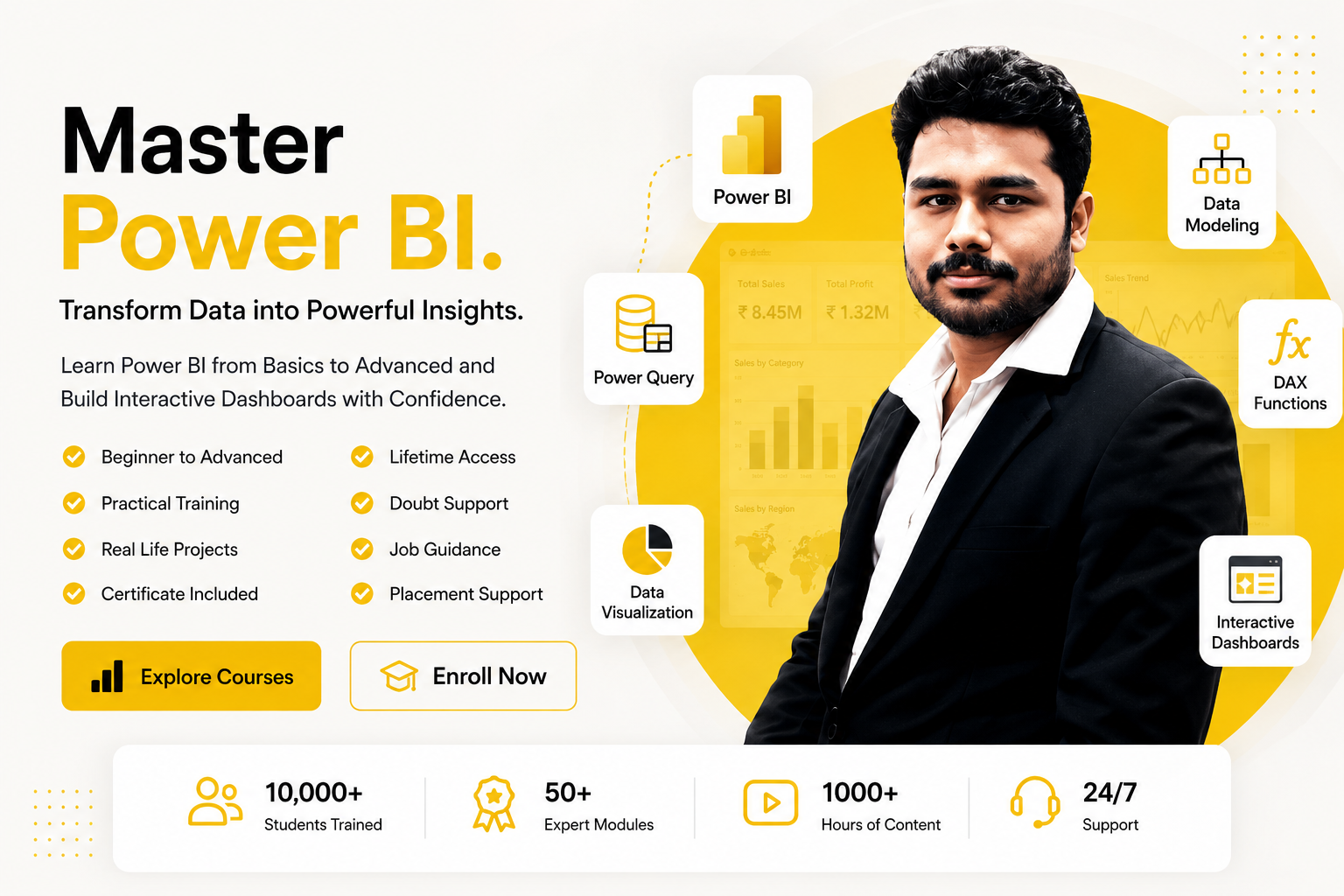
Complete Power BI Learning from Data Prep to Dashboards
Practical Power BI Training with Reports, DAX, and Dashboards
Interview Q&A Practice and Portfolio Preparation
Certificate Included with Practical Dashboard Projects
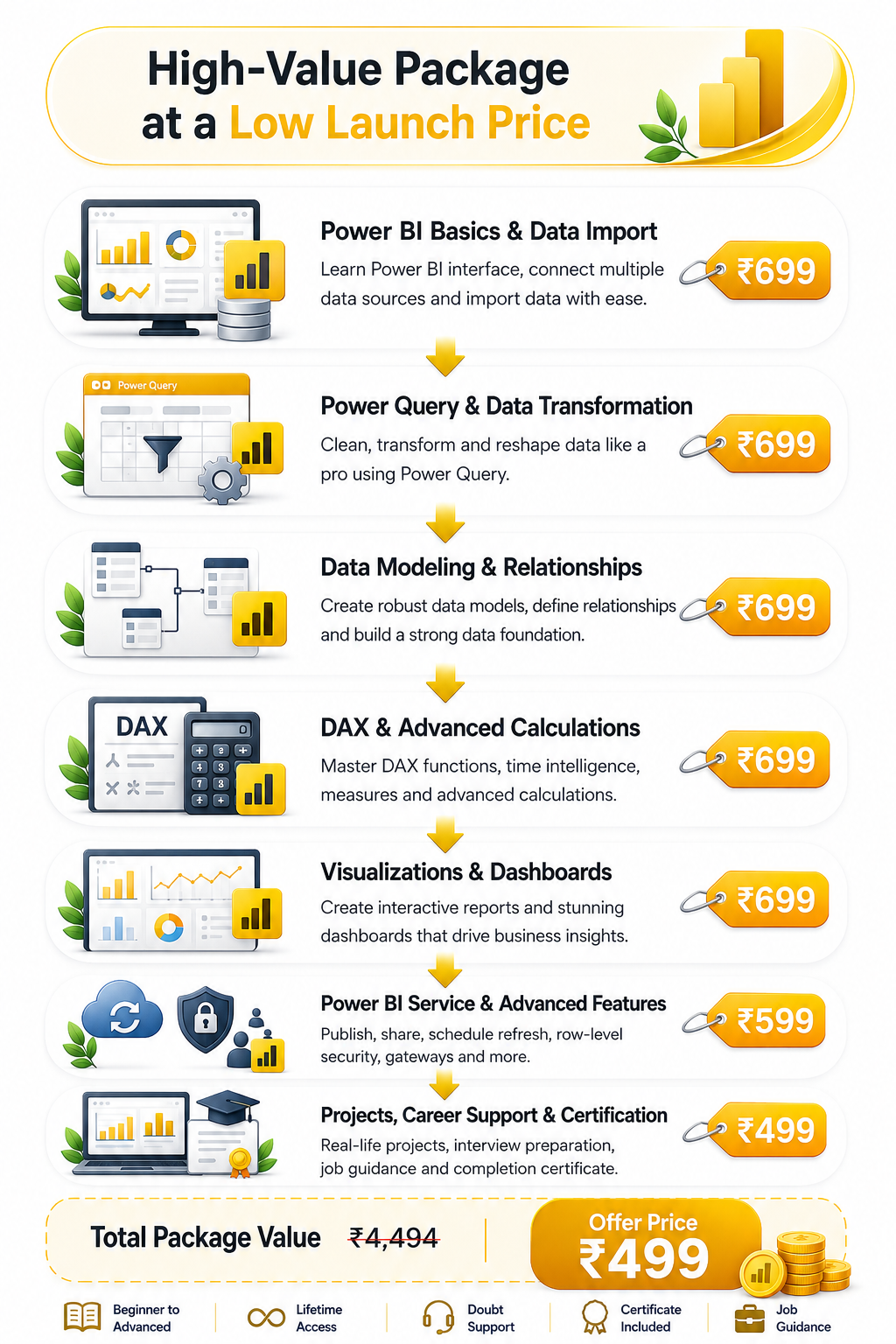
Complete Power BI Practical Program at a one-time Technical & Learning Infrastructure Fee of ₹499.
CERTIFICATE PREVIEW
Get a professional completion certificate after successfully finishing the Power BI Practical Program.
WHAT YOU WILL LEARN
17 Modules - Complete Professional Power BI Training
What is Business Intelligence?
Introduction to Power BI
Power BI Ecosystem
Power BI Desktop
Power BI Service
Power BI Workflow
Installing Power BI Desktop
Understanding Power BI Interface
Report, Data & Model Views
Import Data from Excel
CSV / Text Files
Folder Data
Web Data
PDF Data
SQL Database Connection
Import vs DirectQuery
Data Source Settings
Refreshing Data Sources
Managing Data Connections
Introduction to Power Query
Power Query Editor
Data Types
Rename & Remove Columns
Filter & Sort Data
Replace Values
Remove Errors
Handle Blank / Null Values
Duplicate Removal
Fill Up / Fill Down
Split & Merge Columns
Extract Text / Numbers
Conditional Columns
Custom Columns
Index Columns
Group By
Pivot & Unpivot
Transpose Data
Merge Queries
Append Queries
Combine Multiple Files
Practical Data Cleaning
Understanding Data Models
Fact & Dimension Tables
Primary & Foreign Keys
Creating Relationships
One-to-One Relationship
One-to-Many Relationship
Many-to-Many Relationship
Relationship Cardinality
Cross-Filter Direction
Active & Inactive Relationships
Star Schema
Snowflake Schema
Model Optimization Basics
Introduction to DAX
Measures vs Calculated Columns
Calculated Tables
DAX Syntax
SUM
AVERAGE
MIN / MAX
COUNT / COUNTA
COUNTROWS
DISTINCTCOUNT
DIVIDE
Basic Business Measures
IF
SWITCH
AND / OR
ISBLANK
IFERROR
SELECTEDVALUE
Conditional Calculations
KPI Status Calculations
Multiple Condition Measures
CALCULATE
FILTER
ALL
ALLEXCEPT
ALLSELECTED
VALUES
DISTINCT
RELATED
RELATEDTABLE
SUMX
AVERAGEX
COUNTX
RANKX
Context in DAX
Row Context
Filter Context
Context Transition
Creating a Date Table
Calendar Functions
Year / Quarter / Month Analysis
YTD
MTD
QTD
Previous Month
Previous Year
SAMEPERIODLASTYEAR
DATEADD
Running Total
Year-on-Year Growth
Month-on-Month Growth
Bar & Column Charts
Line Charts
Area Charts
Pie & Donut Charts
Treemap
Scatter Chart
Waterfall Chart
Funnel Chart
Cards
KPI Visual
Gauge
Table
Matrix
Maps
Choosing the Correct Visual
Slicers
Filters
Visual-Level Filters
Page-Level Filters
Report-Level Filters
Drill Down
Drill Up
Drill Through
Tooltips
Edit Interactions
Sync Slicers
Bookmarks
Buttons
Page Navigation
Dynamic Report Interaction
Dashboard Planning
Selecting Business KPIs
Dashboard Layout
Visual Hierarchy
Professional Formatting
Themes
Conditional Formatting
KPI Cards
Dynamic Titles
Data Storytelling
Executive Dashboard Design
Mobile-Friendly Report Layout
Publishing Reports
Power BI Workspace
Reports vs Dashboards
Creating Dashboards
Pinning Visuals
Sharing Reports
Apps
Subscriptions
Comments
Export Options
Managing Workspace Content
Dataset / Semantic Model Refresh
Scheduled Refresh
Data Gateway Introduction
Gateway Configuration Concepts
Credentials & Connections
Row-Level Security (RLS)
Creating Roles
Testing Roles
Dynamic RLS Basics
Report Access & Permissions
Sales Analysis
Target vs Achievement
Profitability Analysis
Customer Analysis
Product Analysis
Employee Performance
Inventory Analysis
Finance MIS
Trend Analysis
Variance Analysis
Management KPI Reporting
Sales Performance Dashboard
HR Analytics Dashboard
Financial / MIS Dashboard
Inventory Dashboard
Target vs Achievement Dashboard
Data Cleaning -> Modeling -> DAX -> Dashboard
End-to-End Business Project
Presenting Dashboard Insights
Power BI Interview Questions
Power Query Questions
Data Modeling Questions
DAX Interview Questions
Dashboard-Based Questions
Scenario-Based Questions
Practical Power BI Test
Portfolio Project Preparation
Dashboard Presentation Skills
Job-Oriented Practice
0Students Trained
0Expert Courses
0Guided Learning
3-LevelSupport System
Power BI Basics -> Data Import -> Power Query -> Data Cleaning -> Data Modeling -> DAX -> Advanced DAX -> Time Intelligence -> Visualizations -> Interactive Reports -> Dashboards -> Power BI Service -> RLS & Refresh -> Real Projects -> Interview Preparation
Who Can Join?
Beginner Friendly
Students
Working Professionals
Job Seekers
Analysts
Business Owners
Entrepreneurs
Anyone who wants to build Power BI skills for reporting, dashboards, analysis, or business intelligence
Student Video Testimonials
Hear directly from our Power BI learners.
Watch real students share their learning experience with Mapari Education.
Student Review 1
Student Review 2
Student Review 3
Student Review 4
Job Roles You Can Prepare For
Job Roles You Can Prepare For
Package Range Min 3 lakh to 7 lakh
MIS Executive
Data Analyst
Reporting Executive
MIS Executive
Power BI Developer
Back Office Executive
Operations Executive
Sales Coordinator
Dashboard Executive
Business Analyst
Admin Executive
Documentation Executive
MIS Executive
Data Analyst
Reporting Executive
MIS Executive
Power BI Developer
Back Office Executive
Operations Executive
Sales Coordinator
Dashboard Executive
Business Analyst
Admin Executive
Office Executive
Min ₹3 LPAMax ₹7 LPA
Documentation Executive
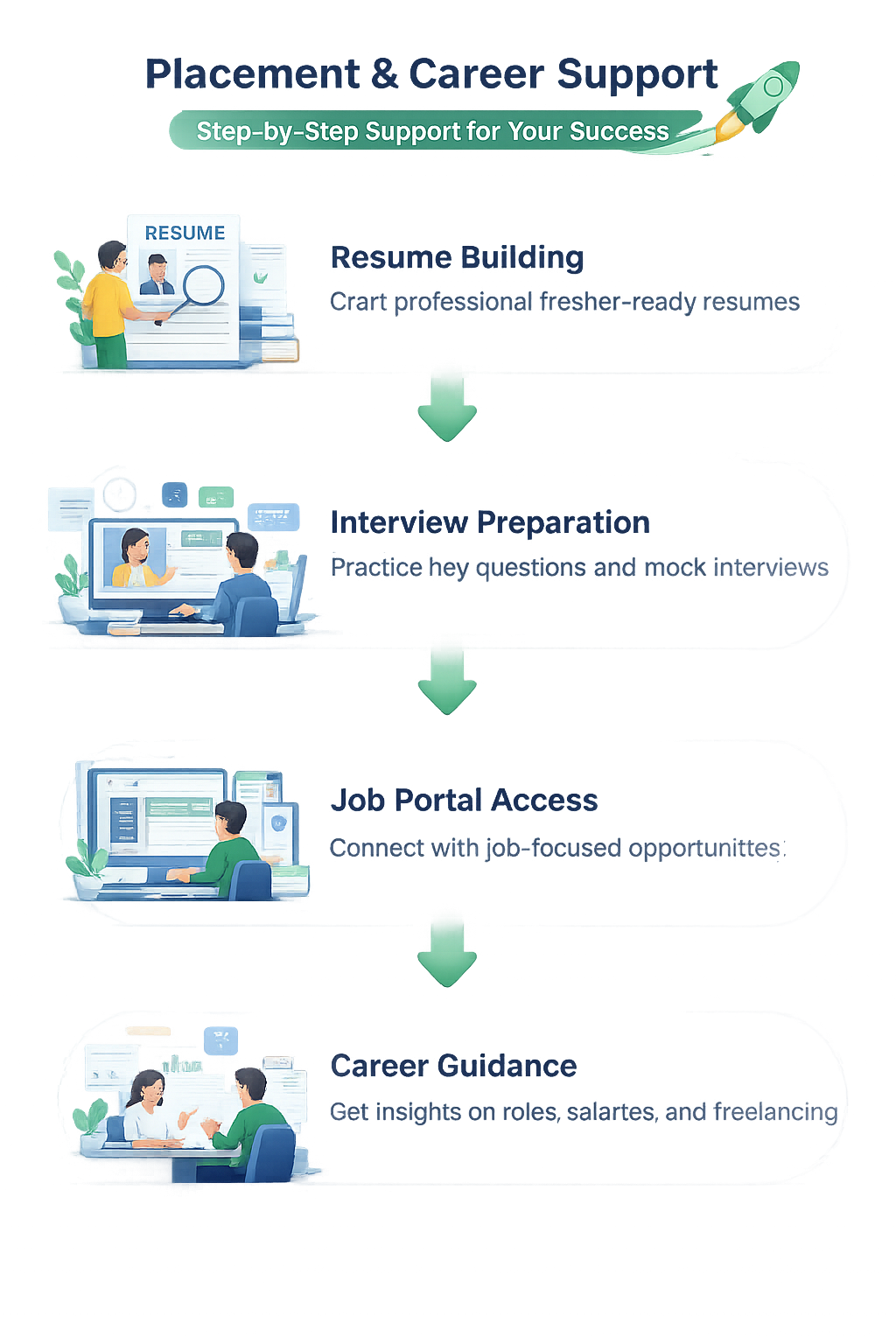
Placement & Career Support
Support beyond classes helps this page convert better.
Students are more likely to enroll when they see a clear path from learning to applying for roles.
Resume Building
Present your Power BI, dashboard, reporting, and data analysis skills in a professional resume.
Interview Preparation
Practice likely Power BI, DAX, dashboard, reporting, and HR questions with better confidence.
Job Portal Access
Get connected with Mapari’s job-focused support flow for role discovery and opportunities.
Career Guidance
Understand job roles, salary expectations, reporting workflows, and practical Power BI opportunities.
Explore Job Opportunities on Job Portal
Discover relevant openings and take the next step toward your career.
One-time paymentLifetime accessCertificate included
FAQ
Frequently Asked Questions
Everything you need to know before joining the Power BI Practical Program.
Yes. The learning path starts from data and reporting basics and is designed for beginners as well as working learners.
The course covers Power BI fundamentals, Power Query, data cleaning, data modeling, relationships, DAX, measures, KPIs, charts, dashboards, service publishing, refresh workflows, business analysis, projects, and interview preparation.
Students receive a completion certificate after successfully completing the applicable course requirements.
The course includes recorded learning content along with applicable live training, doubt-solving, and learning support sessions as scheduled by Mapari Education.
Yes. ₹499 is the one-time Technical & Learning Infrastructure Fee for the complete Power BI Practical Program. There are no recurring course-access charges for the included learning content.
Yes. Students receive lifetime access to the included recorded lessons and learning materials, subject to the platform's applicable terms and policies.
The course includes recorded learning content along with applicable live training, doubt-solving, and learning support sessions as scheduled by Mapari Education.
Yes. Students receive practical assignments, downloadable notes, dataset files, dashboard case studies, and industry-oriented activities.
Yes. Course access is designed for both mobile and laptop. A laptop is recommended for completing Power BI practice, DAX work, and dashboard exercises.
The training supports preparation for roles such as Power BI Developer, MIS Executive, Reporting Analyst, Data Analyst, Business Intelligence Executive, and dashboard-focused support roles.
Placement assistance does not guarantee a job. Support includes resume guidance, interview preparation, career support, and job portal access. Final selection depends on the employer, available openings, eligibility, and the learner's performance.
Connect with Mapari Team on WhatsApp
Get quick support for enrollment, package details, and learning guidance.


 Placement & Career Support